CAFE / RESTAURANT SOLUTION QR ORDER · KITCHEN · TABLES

F&B POS made for
smooth ordering and faster kitchen flow.

Let customers scan & order, reduce wrong orders, and speed up serving. Perfect for cafe, kopitiam, restaurant, bar, and food court.
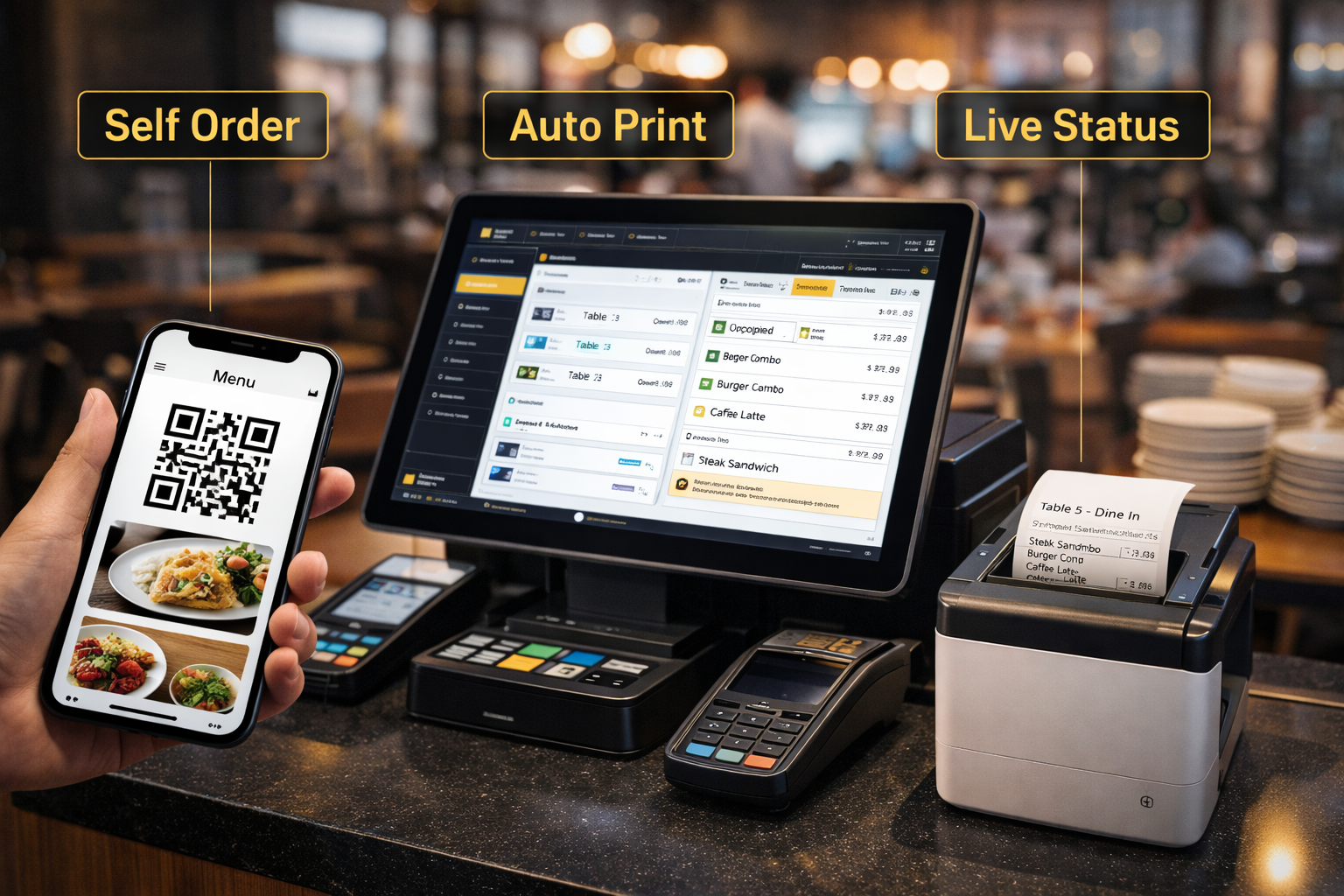
  • QR ordering + table management (dine-in flow)
  • Kitchen printer / KDS + live order status
  • Split bill + modifiers + staff performance tracking
Ordering
Less mistakes
Kitchen
Faster serve
Tables
More turnover
Cafe / Restaurant POS preview
CAFE & RESTAURANT PROBLEMS

Daily problems during peak hours

Pos2u is designed to fix real cafe & restaurant workflow issues.
⏱️

Long Queue at Counter

Customers wait too long just to order or pay during busy hours.
Solution QR ordering & faster checkout

Wrong or Missing Orders

Staff mis-hear orders or forget modifiers like less sugar or add-on.
Solution Direct order to kitchen (KDS / printer)
🍳

Kitchen Too Busy

Kitchen receives orders late or in wrong sequence.
Solution Real-time kitchen display & auto sorting
📊

No Clear Sales Insight

Owner doesn’t know best sellers, peak hours, or staff performance.

Solution Live reports & AI business insights
CAFE / RESTAURANT ESSENTIALS

Core features for Cafe & Restaurant daily operations

Faster ordering, cleaner kitchen flow, and smooth checkout — so your team can serve more tables with less chaos.

📱

QR Ordering / self-order

Let customers scan & order on their phone. Reduce queue and staff workload.
  • Scan QR to order
  • Menu with modifiers
  • Optional online payment
🍽️

Table management

Know which table is open, occupied, or waiting — and move faster during peak hour.
  • Table status view
  • Transfer / merge tables
  • Split bill support
👨‍🍳

Kitchen printer / KDS

Orders go straight to kitchen instantly — less missed items, less shouting.
  • Auto print to kitchen
  • Separate station printing
  • KDS ready (optional)
🧂

Modifiers & add-ons

Handle custom orders properly: less sugar, extra cheese, no spicy, and more.

  • Modifiers group
  • Add-on pricing
  • Notes to kitchen
🏷️

Promotions + member pricing

Run happy hour, set meal promo, vouchers, and member tiers without manual mistakes.
  • Discount / promo rules
  • Set meals / combos
  • Member pricing (optional)
🧾

Split bill & payments

Make billing smooth for groups. Split items, split amount, or combine bills easily.
  • Split by item / amount
  • Multiple payment methods
  • Print / e-receipt
📊

Sales reports + best sellers

See what sells most, peak hour trends, and which items drive your revenue.

  • Daily / monthly sales
  • Top items / top combos
  • Peak hour analysis
👤

Staff performance tracking

Track cashier actions, voids, discounts, and shift closing — reduce mistakes and fraud risk.

  • Shift close report
  • Void / refund control
  • Role permissions
HOW IT WORKS

Simple flow from order to payment

Less confusion, fewer mistakes, smoother peak hours.
📱
STEP 01

Customer scan QR

Customer scan QR on table and see menu instantly.

🧾
STEP 02

Order by themselves

Customer choose items, add-on, remarks (less sugar, spicy, etc.).

🍳
STEP 03

Kitchen receive instantly

Order auto send to kitchen printer / KDS. Less missed items.

🛎️
STEP 04

Staff serve faster

Staff just follow kitchen list and serve by table number.

💳
STEP 05

Pay & close bill

Customer pay at counter or online. Cashier close bill in seconds.

SCENARIOS

Built for real cafe & restaurant workflows

Pick a use case — see how ordering, kitchen, and checkout stay smooth during peak hours.
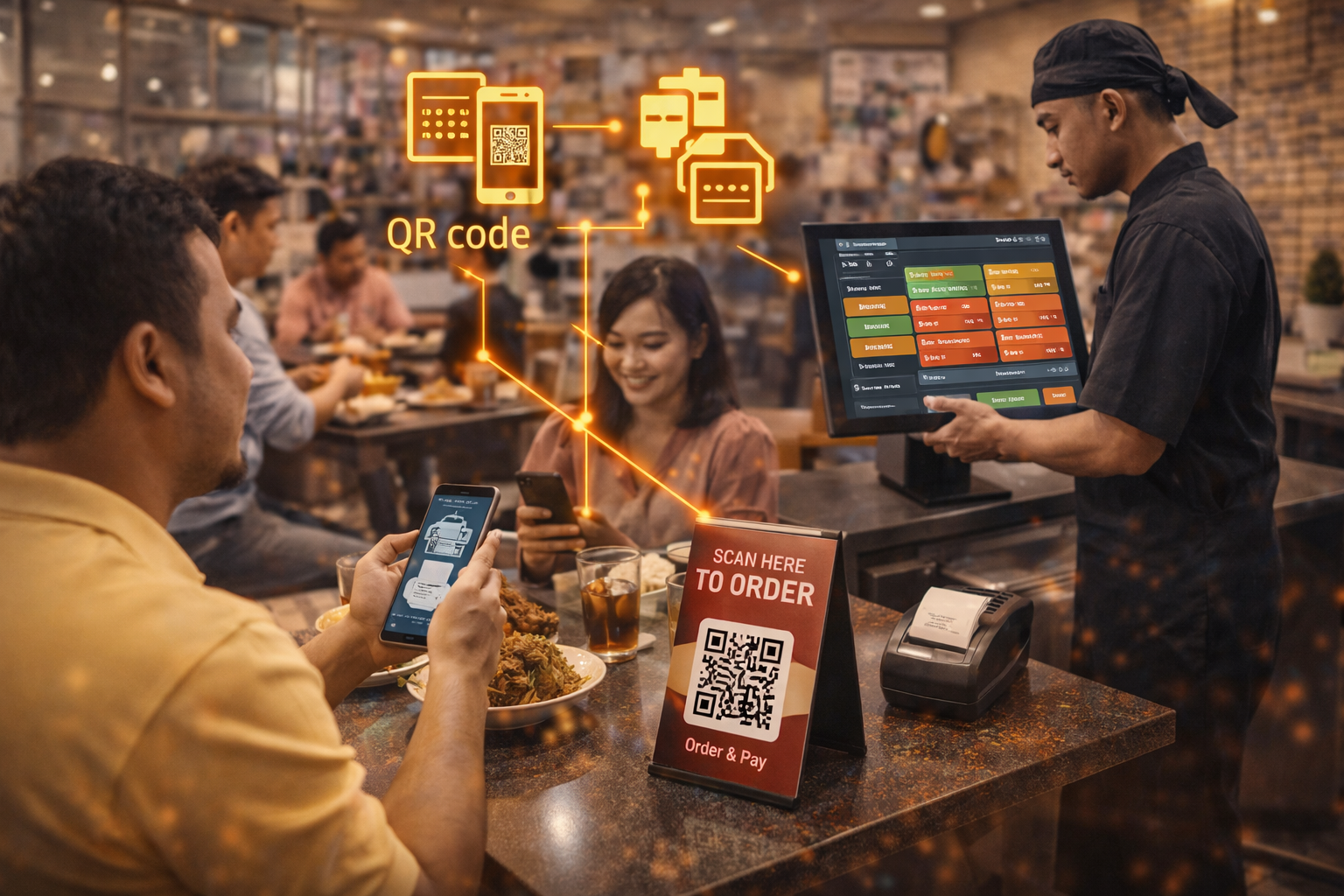
Dine-in QR Ordering

Dine-in QR Ordering

Customers scan and order. Kitchen receives instantly. Less queue, less shouting.
  • Table number + notes (less ice / spicy)
  • Auto send to kitchen printer / KDS
  • Upsell add-ons + set meals
Book demo
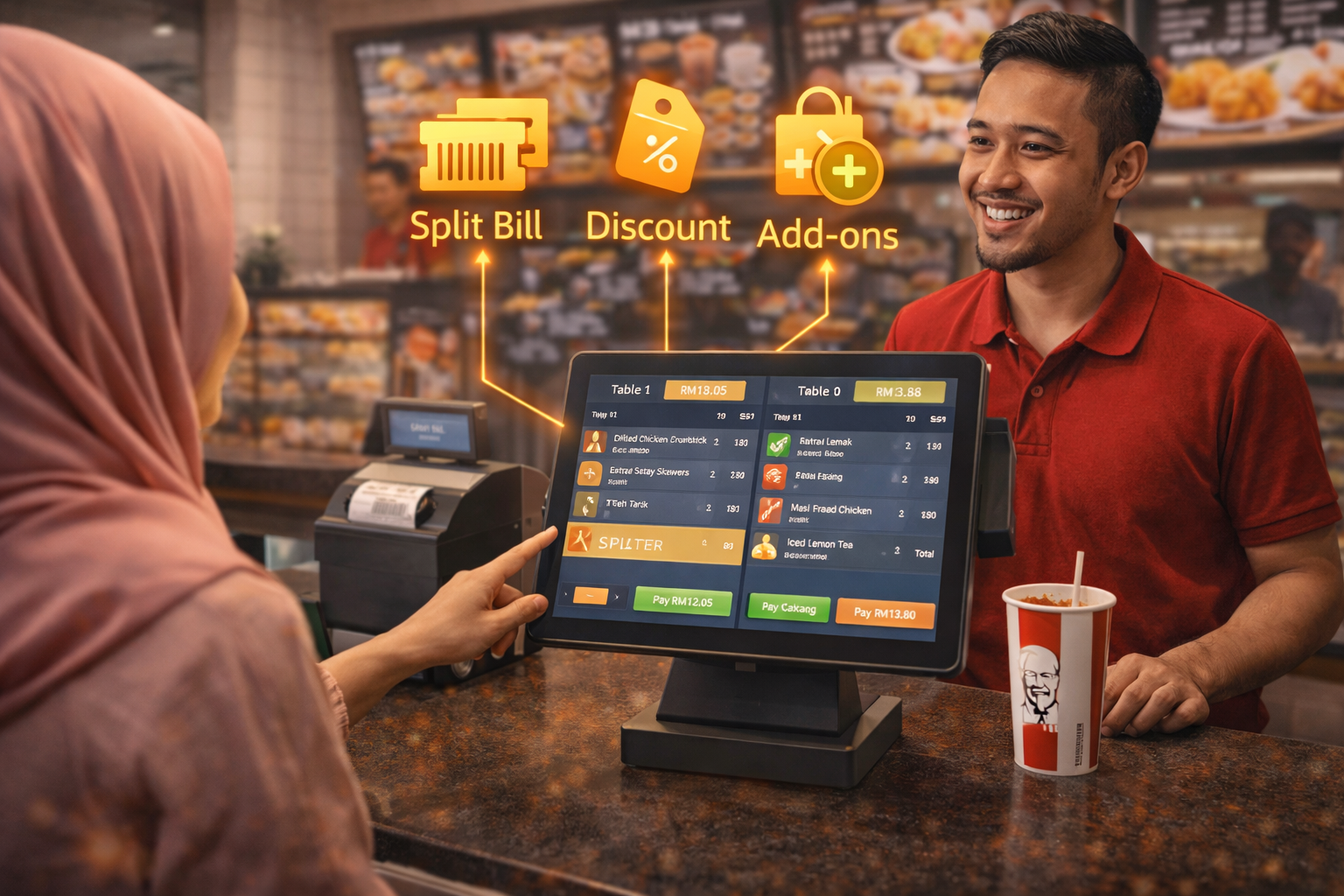
Counter Ordering

Counter Ordering

Fast cashier flow for walk-ins. Split bill, discounts, and add-ons in seconds.
  • Quick search + category buttons
  • Split / combine bill support
  • Staff roles + void control
View pricing
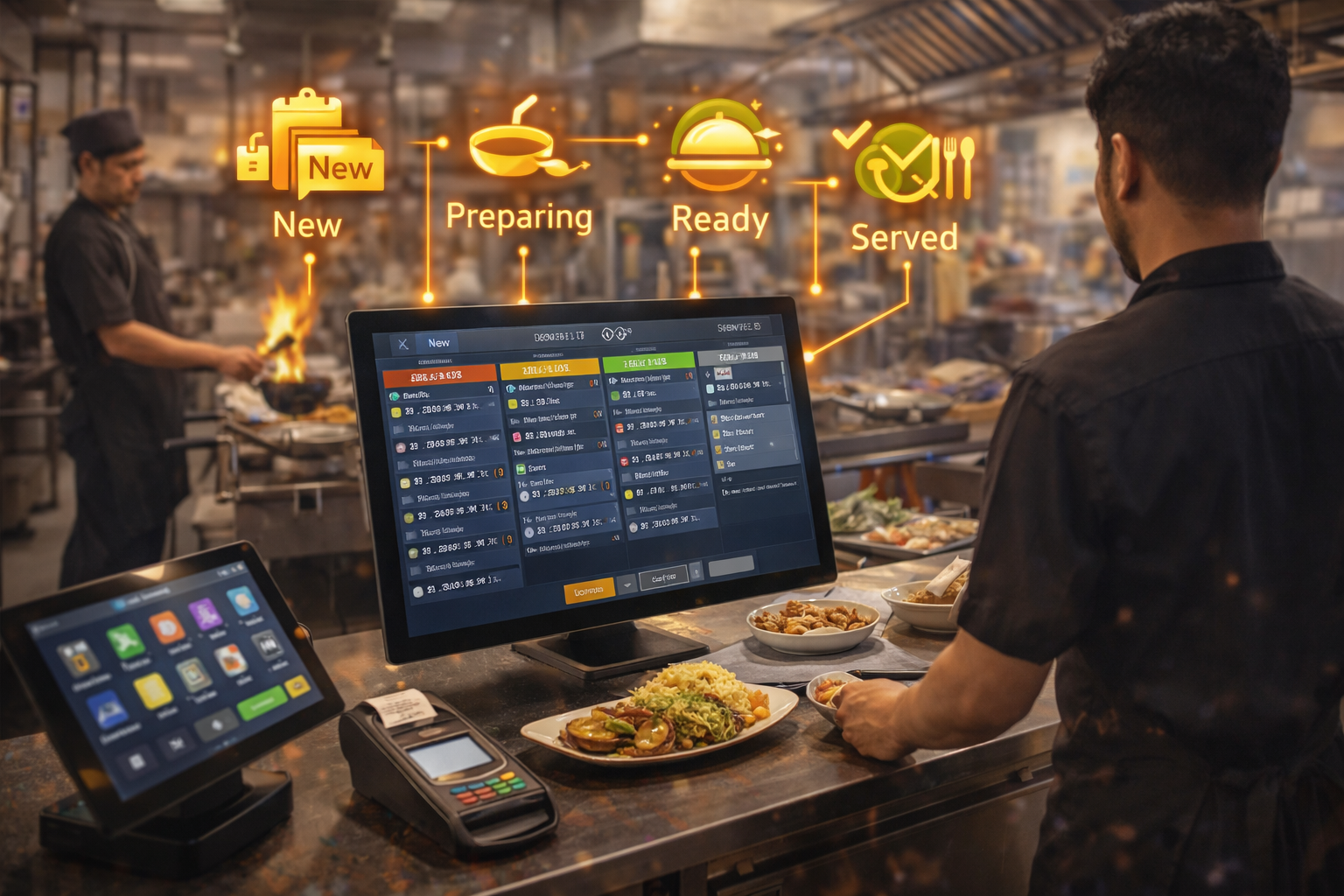
Kitchen Display System

Kitchen Flow (KDS)

Orders are organized by status. Reduce missed items and improve serving speed.
  • Prep status (New → Cooking → Ready)
  • Multi-station kitchen ready
  • Printer routing by category
See KDS
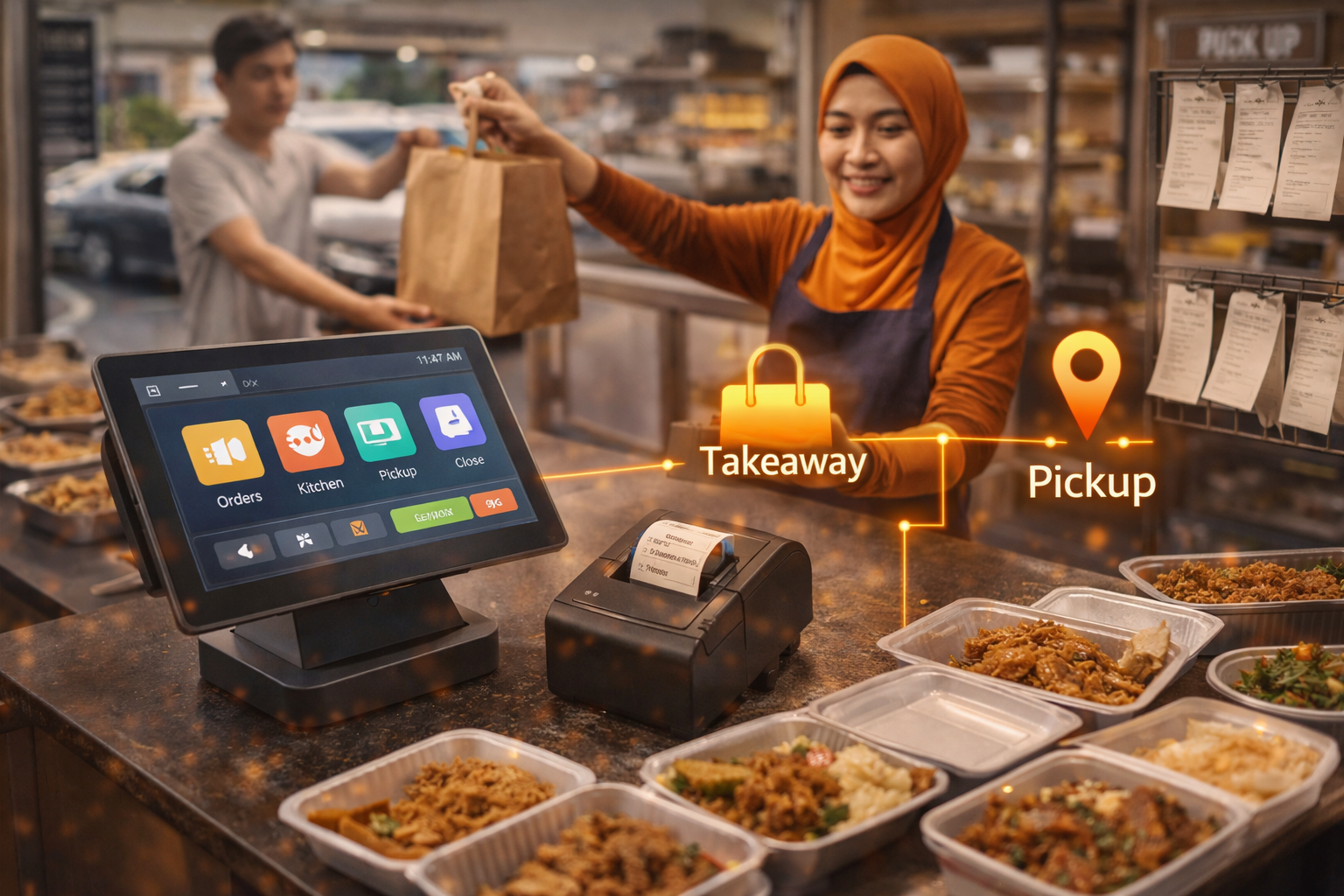
Takeaway & Pickup

Takeaway & Pickup

Handle takeaway orders faster. Clear ticket printing and pickup management.
  • Order number / pickup ticket
  • Fast payment options
  • Peak hour ready flow
Get setup plan
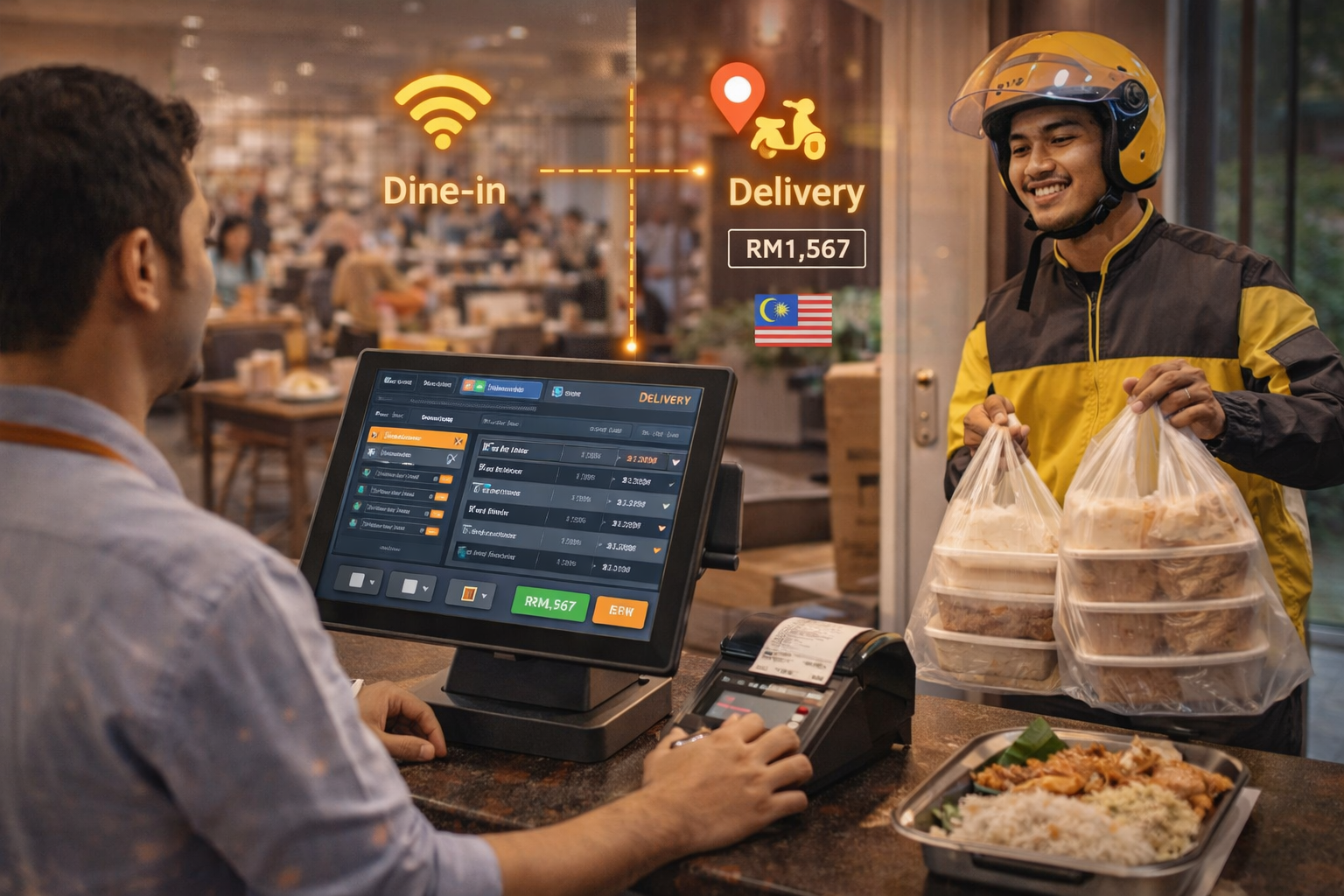
Delivery & Aggregator

Delivery Orders

Separate delivery workflow to keep dine-in smooth. Track delivery sales clearly.

  • Delivery channel / source tag
  • Cleaner daily reporting
  • Less confusion for kitchen
Explore solutions
DEVICES

Choose the right hardware
for your store

Mobile POS, tablets, desktop counters, self-order kiosks, and kitchen displays — all ready to bundle with Pos2U.
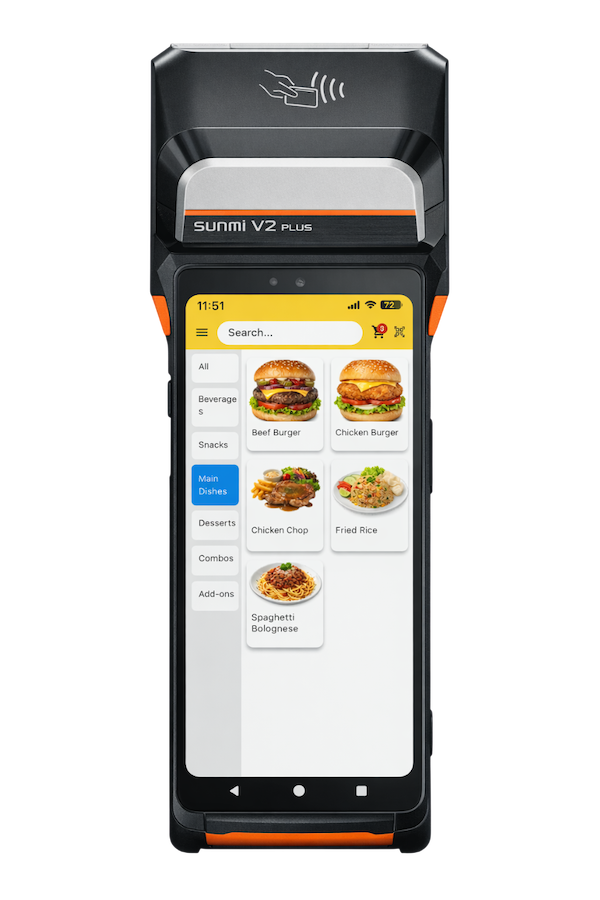
Mobile POS

Mobile POS

Take orders anywhere. Perfect for tableside, events, and pop-up booths.
  • Portable + fast checkout
  • Scan barcode / QR
  • Works with eWallet payments
View details
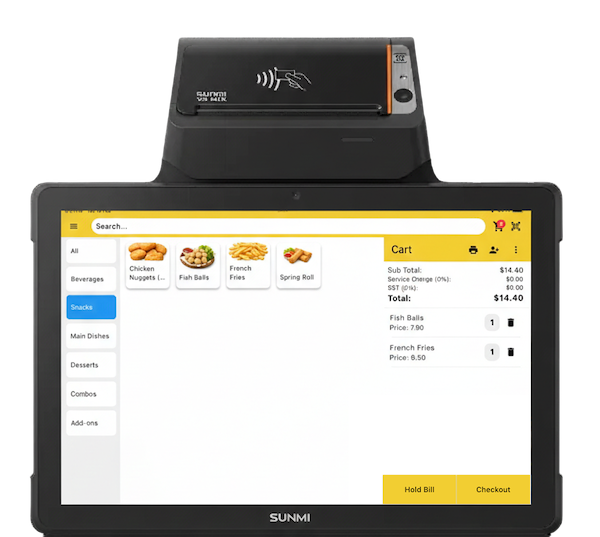
Tablet POS

Tablet POS

Clean counter setup with touch screen. Great for cafes and retail stores.
  • Stable counter workflow
  • Pairs with printer + cash drawer
  • Fast staff training
View details
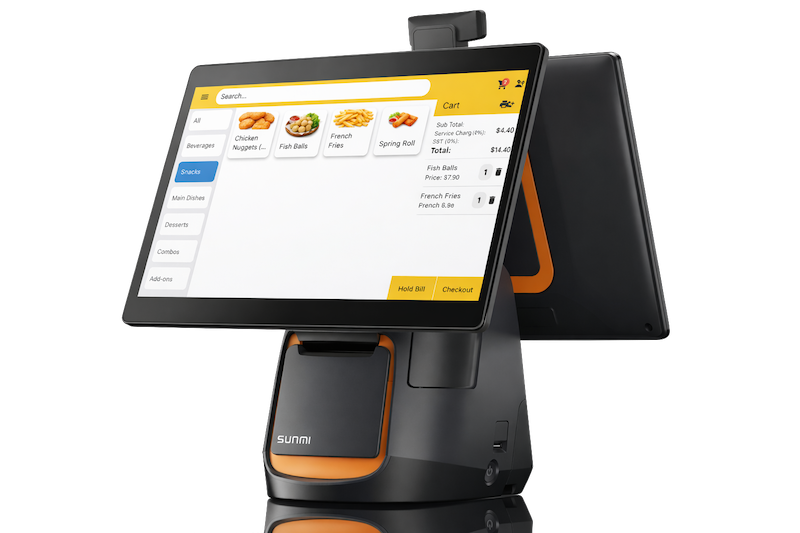
Desktop POS

Desktop POS

Best for high-volume counters. Bigger screen, faster operations, less mistakes.
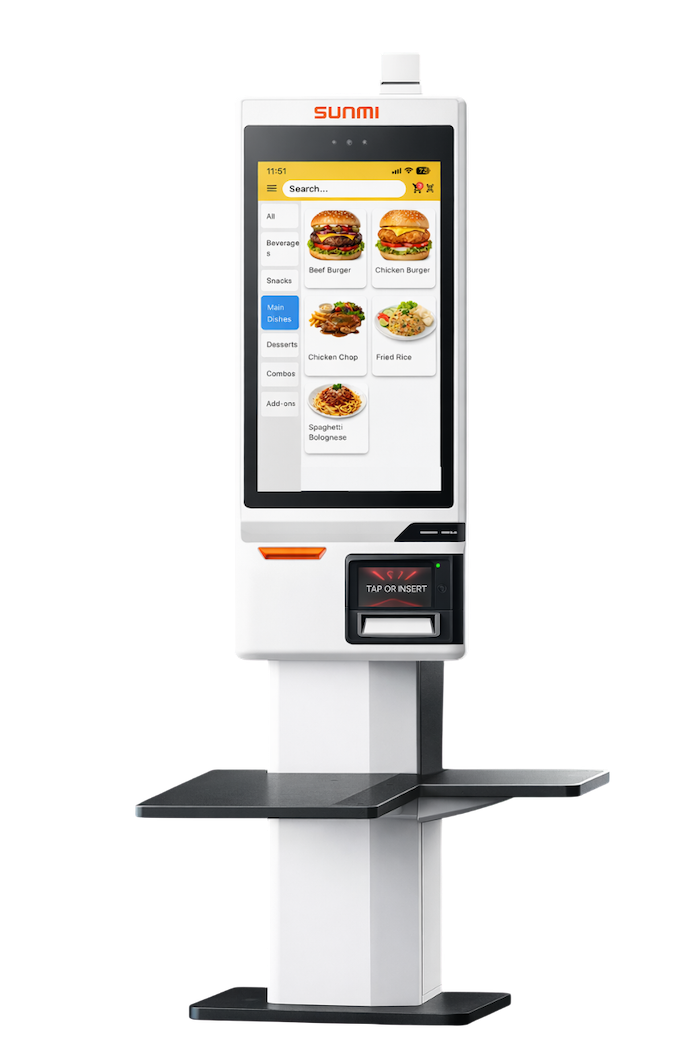
  • Large display for peak hours
  • Best for multi-cashier counters
  • Optional customer display
View details
Self-ordering Kiosk

Self-ordering Kiosk

Let customers order by themselves. Reduce queue, reduce staff pressure.
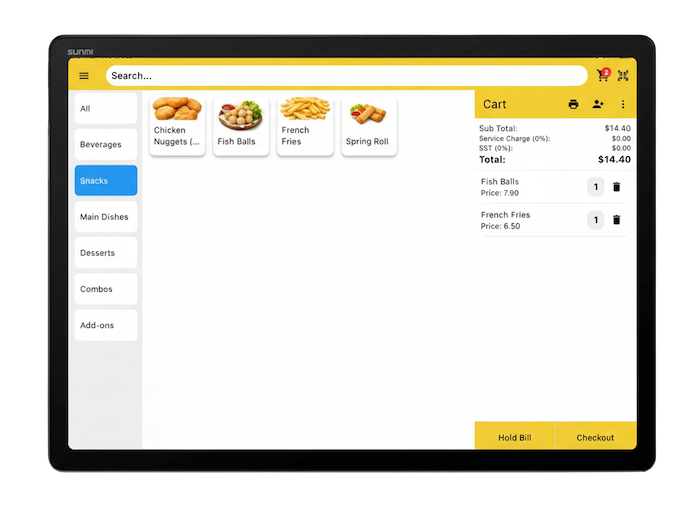
  • Faster ordering + higher upsell
  • Works with QR / cashless
  • Best for busy F&B outlets
View details
Kitchen Display System

Kitchen Display (KDS)

Orders go straight to kitchen screen. Clear status, faster prep, fewer missed items.
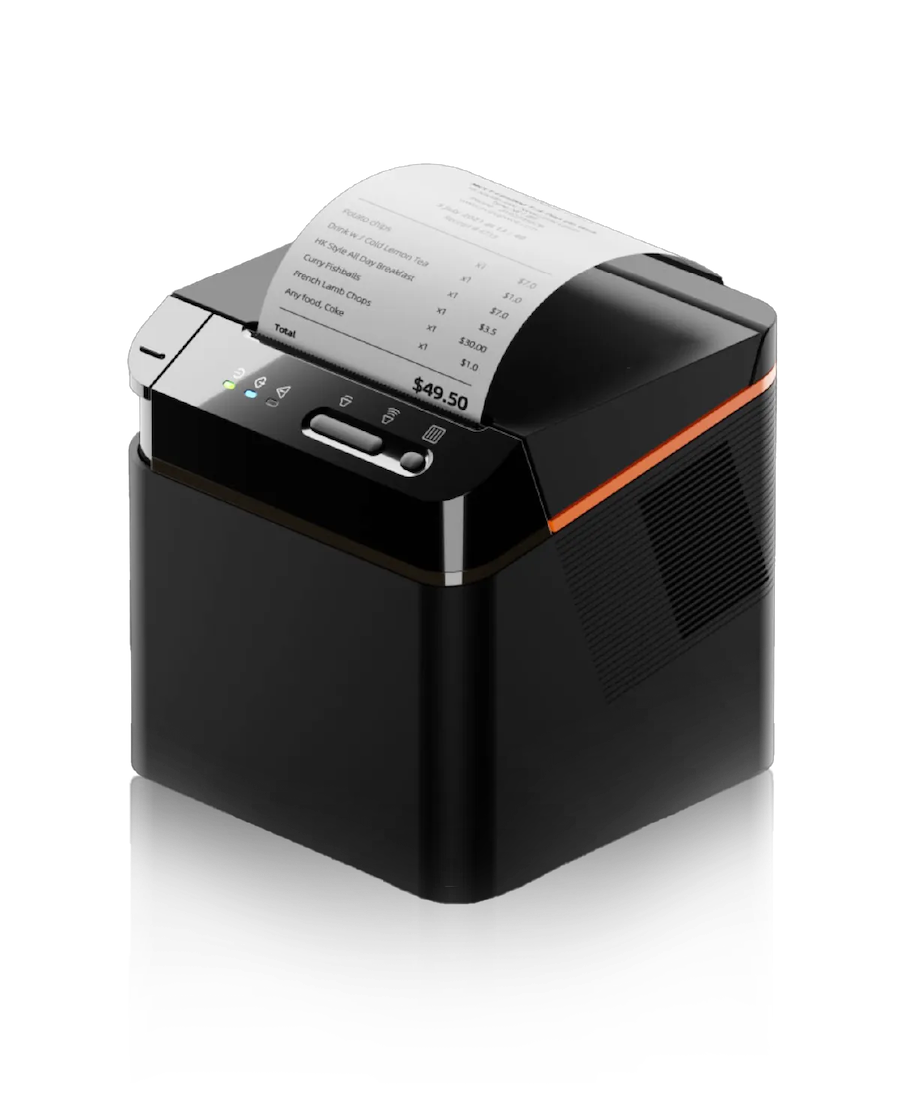
  • Auto send orders to kitchen
  • Track preparation status
  • Works with multi-station kitchens
View details
Accessories

Accessories

Complete your setup with printers, scanners, cash drawers, and more.

  • Receipt / label printers
  • Barcode scanner
  • Cash drawer + router
View details

Need a hardware + software bundle?

Tell us your industry and outlet size — we’ll recommend the best setup and pricing.

REPORTS & CONTROL

Know your numbers. Control your operations.

Track sales, best sellers, peak hours, and staff actions — so you can improve faster with real data.

📅

Daily Sales

See today’s sales, bill count, average spending, and trends at a glance.

  • Daily / weekly summaries
  • Compare day-to-day performance
  • Export summary when needed
🔥

Best Sellers

Know what customers order most — and push upsell items confidently.
  • Top items + category ranking
  • Combo / add-on performance
  • Profit-driven decisions
⏱️

Peak Hours

Understand your rush hours and plan manpower better.

  • Hourly sales trend
  • Busy time heat view
  • Reduce queue by planning
🧑‍🍳

Staff Performance

Track cashier actions and shift results to improve accountability.
  • Cashier performance by shift
  • Bill count + discount usage
  • Permissions by role
🛡️

Void & Discount Control

Reduce fraud risk with clear audit trail and approval rules.
  • Void reason + approval flow
  • Discount limit control
  • Audit log for safety
📦

Stock & Cost View

Simple stock status and ingredient tracking support — reduce waste.

  • Low stock alerts
  • Stock in/out history
  • Reduce losses with control
FAQ

Cafe / Restaurant questions, answered

If you still not sure, just WhatsApp us — we help you choose the right setup.

Yes. Customer scan QR, order by themselves. Orders go straight into POS. Less queue, less staff pressure during peak hours.

Yes. You can route items by station (bar / kitchen / dessert). Kitchen can use printer or KDS. Fewer missed items.

Yes. You can split bill by item or by amount, combine tables, transfer table, and add-on items anytime. Good for group dining and busy restaurants.

If you need offline mode, use Starter plan (offline POS). For online plan, best is prepare stable WiFi + backup hotspot for safety.

Yes. Pos2U supports common payment workflows (cash, eWallet, QR, card), and you can track daily payment breakdown for reconciliation.

Yes. You can see daily sales, best-sellers, hourly trend, table turnover, and staff performance. This helps you improve menu and manpower planning.

Yes. You can run membership, points, vouchers, member price, and simple campaigns. This is one of the best way to grow repeat customers.

If you want basic offline POS only → Starter (Free). If you need admin panel + online features → Growth (RM 66/month). If you have multiple outlets + want AI Copilot → Scale (RM 99/month).

DOWNLOAD APP

Pos2U Mobile App

Check sales, reports, and store performance anytime — even when you’re not at the counter.

Available for Growth & Scale plans.
READY FOR CAFE / RESTAURANT?

Upgrade your Restaurant POS.
Get a setup plan in 15 minutes.

Tell us your concept (dine-in / takeaway / delivery) and table count — we’ll recommend the best workflow, devices, and plan.

  • QR ordering + table ordering flow
  • Kitchen print / KDS to reduce wrong orders
  • Fast checkout, split bill & daily sales reports
✅ Setup guidance ✅ Local support ✅ F&B-ready devices
Quick Enquiry
We’ll contact you within 1 business day.